
Quick answer
Check three places, not just your phone
Check three places: your bank and card statements, your email, and your app store subscriptions. List everything in one table, cancel through whoever bills you, and keep the confirmation. Deleting an app doesn't cancel it.
Build one list of recurring charges
Look back at least 12 months so you catch yearly renewals too. Look for repeated merchants, similar amounts, and charges you do not recognize. Include cards, bank payments, wallets, and other payment methods you actually use.
Search your usual email accounts for words such as “subscription,” “renewal,” “trial,” “invoice,” and “receipt.” Do not click an unexpected billing message just because it looks urgent; open the provider's known app or website independently.
For each likely service, note the billing provider, amount, frequency, next renewal date, and who uses it. A strange merchant name is a reason to investigate, not proof that the charge is fraudulent.
A simple table keeps the audit in one place:
| Service | Price | How often | Next renewal | Billed through | Who uses it | Keep or cancel |
|---|---|---|---|---|---|---|
| Example: streaming | Monthly | Google Play |
Separate unused services from unfamiliar ones
Before cancelling, ask whether another household member relies on it and whether it contains anything you need to export. Cloud storage, for example, may hold files even if you rarely open the app.
Compare the next actual renewal price, not an old introductory offer. The FTC's subscription guidance warns about trial renewals and changing prices and recommends checking statements for unexpected charges.
A monthly plan may cost more over a full year but be easier to stop when you no longer need it. An annual plan may be economical if you genuinely use it, but requires more money upfront. Decide based on likely use and terms, not the size of the advertised discount.
Cancel in the place that handles the payment
For a Google Play subscription, use the Google Account that purchased it. Open Google Play, go to your profile, then Payments & subscriptions and Subscriptions; choose the service and follow the cancellation steps. If it is missing, check other accounts or whether you subscribed directly with the provider.
Google's cancellation instructions explicitly explain that uninstalling an app does not cancel its subscription. The exact options and timing depend on the subscription terms.
For another app store or a direct purchase, use that platform's or merchant's official billing instructions. Read the final screen: it may confirm a cancellation, offer a pause instead, or require another step.
Save the confirmation and the date access or billing is due to end. Check refund terms separately; stopping future renewal does not automatically mean the last charge will be refunded.
Check the next statement, then prevent repeats
If another charge appears after cancellation, compare it with the agreed end date and billing period. Contact the provider with the confirmation. For a charge you believe is unauthorized or incorrect, contact your payment provider promptly about the appropriate dispute process; rules and deadlines differ.
A new card won't necessarily stop a subscription. Cancel it properly and keep the confirmation.
For future trials, record the renewal amount and set a reminder before the decision deadline. Keep a small list of services you choose to retain. The goal is not to remove every subscription—it is to pay for the ones you knowingly want.
- Add each monthly subscription you're keeping as a recurring expense.
- Higxel records it on its due day.
- The Recurring Expenses screen shows the monthly total.
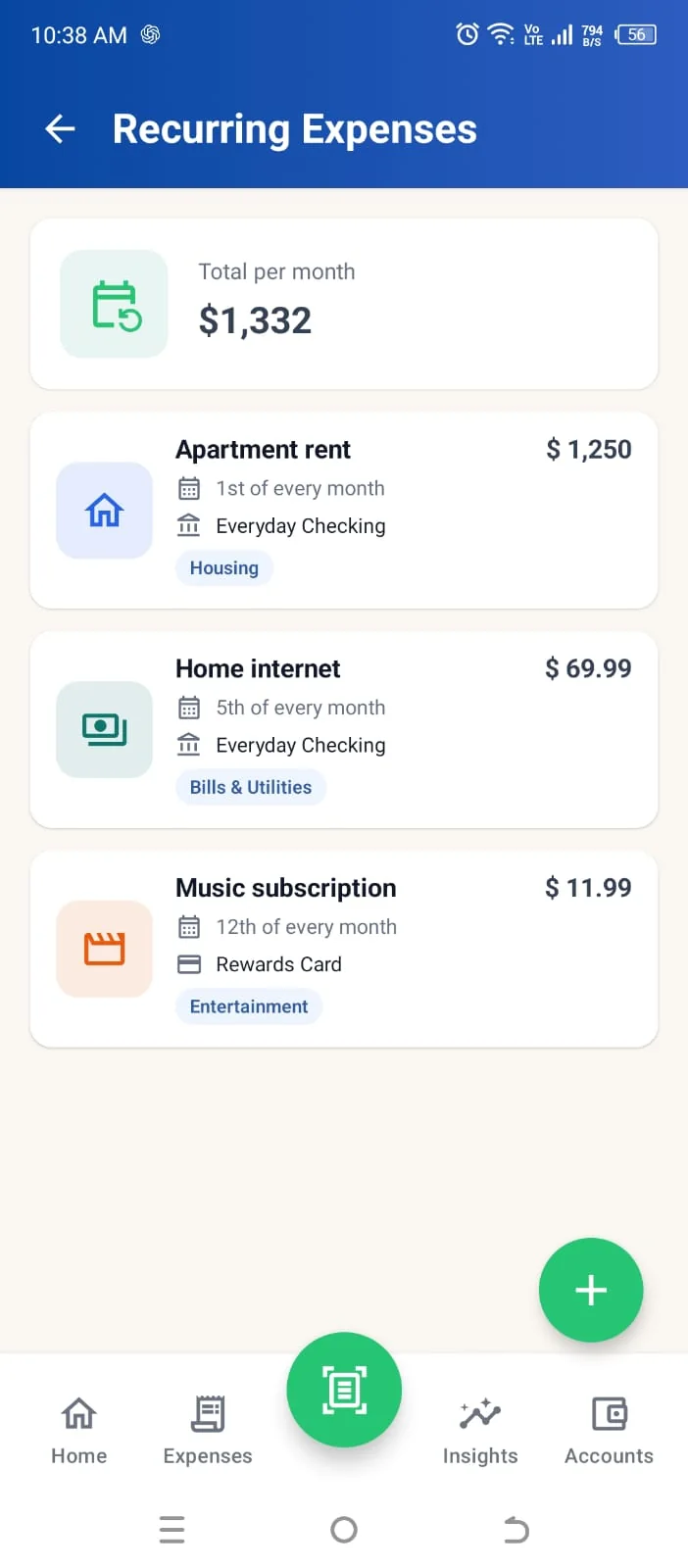
Screen shows sample data.
FAQ
Common questions
How do I see all my subscriptions on Android?
Open Google Play, tap your profile, then Payments & subscriptions, then Subscriptions.
Does uninstalling an app cancel its subscription?
No. Cancel it in Google Play or with the provider.
Written with AI assistance by Higxel Editorial. Example figures are made up to show the method; this is general information, not financial advice. Sources checked September 12, 2026. Some sources describe one country; local rules and costs differ.
Sources