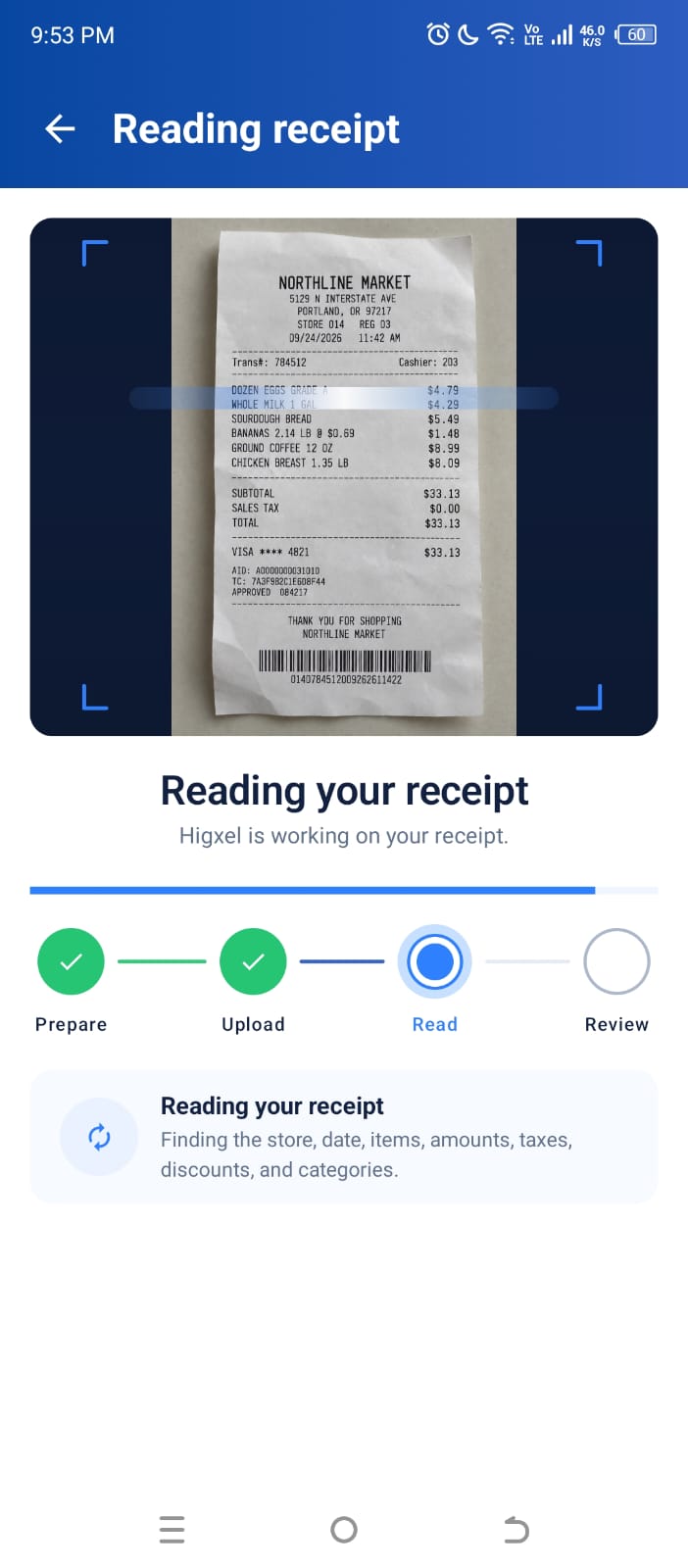
Receipt photos & review
Take a photo or choose one from your gallery. Check the store, date, amounts, and item categories before saving. Keep the receipt together or optionally group selected items.
Explore receipt scanning →Intelligent expense tracking
Higxel
Less manual work. More clarity. Spend smarter.
Take a photo of a receipt and turn it into an expense you can review, edit, and track—without entering everything manually.
Available now on Google Play for Android.
Review before you save. Edit whenever you need.
Why expense tracking becomes a chore
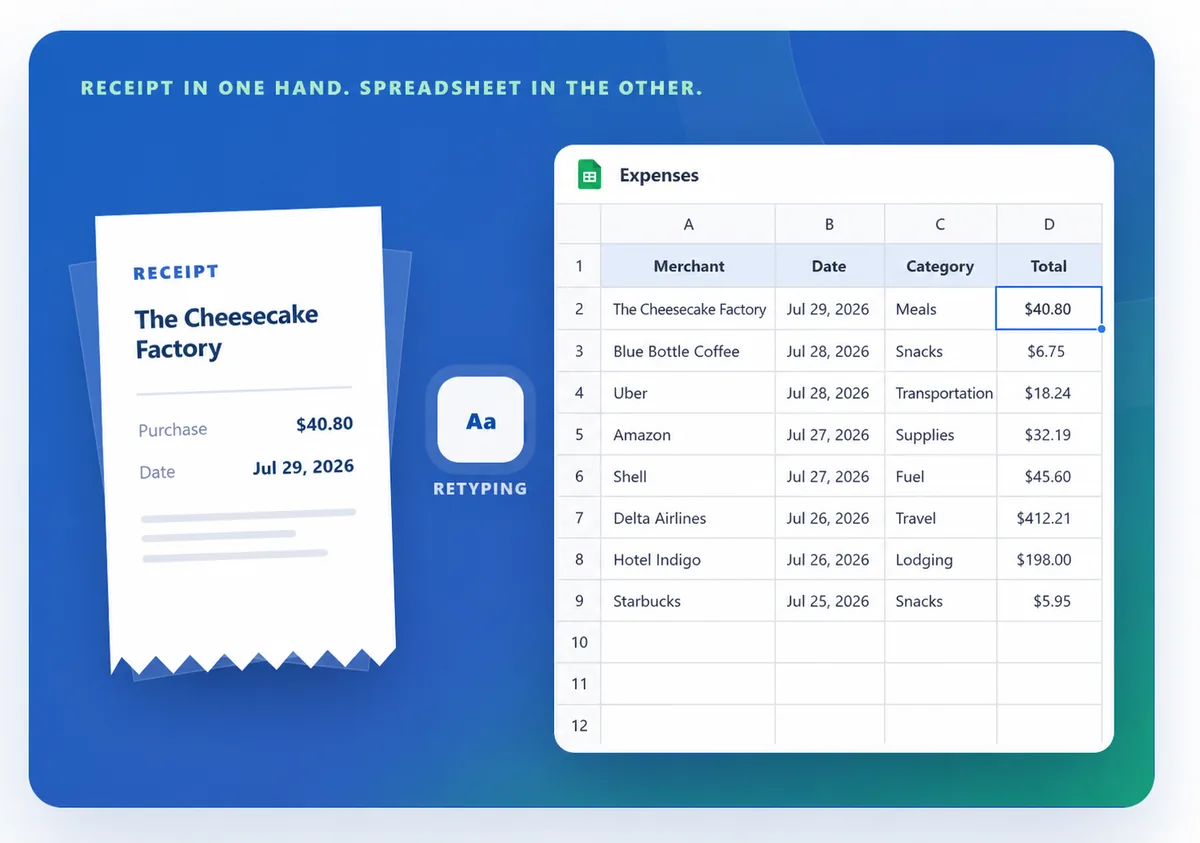
Typing the merchant, date, amount, and category for every purchase gets old quickly. Higxel helps with the repetitive parts so tracking your money does not feel like another job.
Receipt capture
Photograph a receipt or choose an image from your phone. Higxel finds the purchase details and shows you the expense before you save it.
Current app walkthrough using a sample receipt. Review every field before saving.
Explore the features
Capture purchases, understand the month, and keep the accounts behind your spending in view. Choose a feature below to see how it works in Higxel.
Take a photo or choose one from your gallery. Check the store, date, amounts, and item categories before saving. Keep the receipt together or optionally group selected items.
Explore receipt scanning →Add a purchase without a receipt. Search or filter saved expenses, see daily totals, and edit or delete a record later instead of entering it twice.
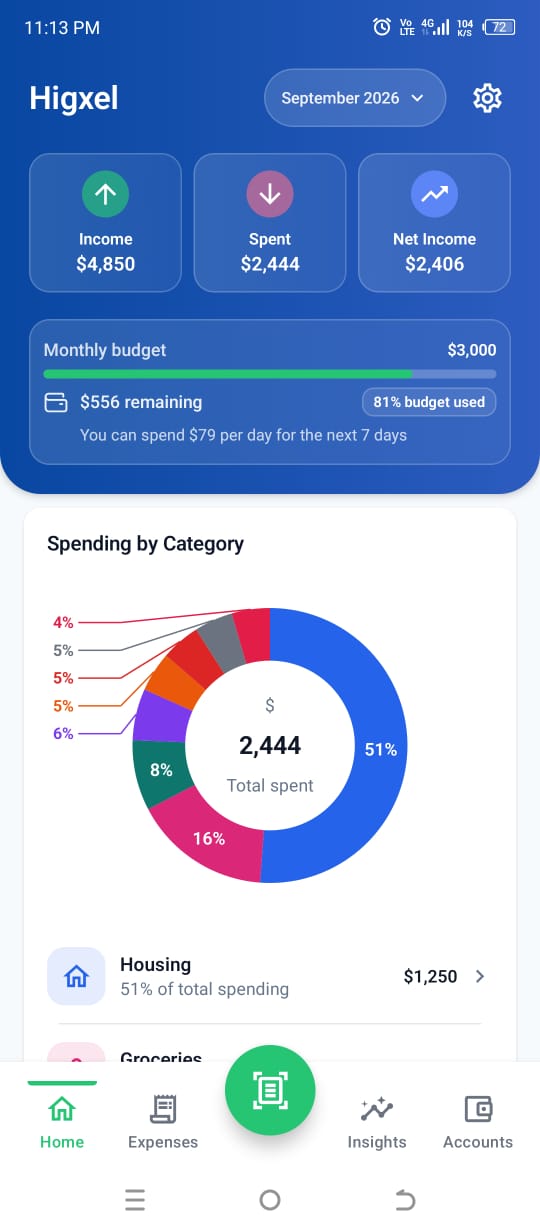
Explore expense history →See income, spending, and net income for the selected month. Follow category totals, your budget balance, spending pace, calendar, and health score.
Explore monthly budgets →Compare months, category changes, budget pace, and weekday spending. Smart item names can connect repeated purchases; open a finding to inspect its expenses. Some patterns need enough history.
Explore spending insights →Record one-time or recurring income, review sources by month, and see how recorded income compares with spending without counting transfers as earnings.
Explore income tracking →Track cash, bank, card, and debt balances. Review assets, debt, net worth, account activity, and transfers. Personal loans have their own space in Accounts.
Explore accounts →Set a monthly expense once with its amount, category, payment account, and due day. Higxel records it when due; you can edit the schedule or its saved expenses later.
Explore recurring expenses →With Google sign-in and notification access, Higxel can suggest expenses from selected payment alerts. Review and edit a suggestion before saving it.
Explore suggestions →Use guest mode or sign in for cross-device access. Export supported records to Excel and choose a tracking currency; changing it does not convert amounts.
Explore data controls →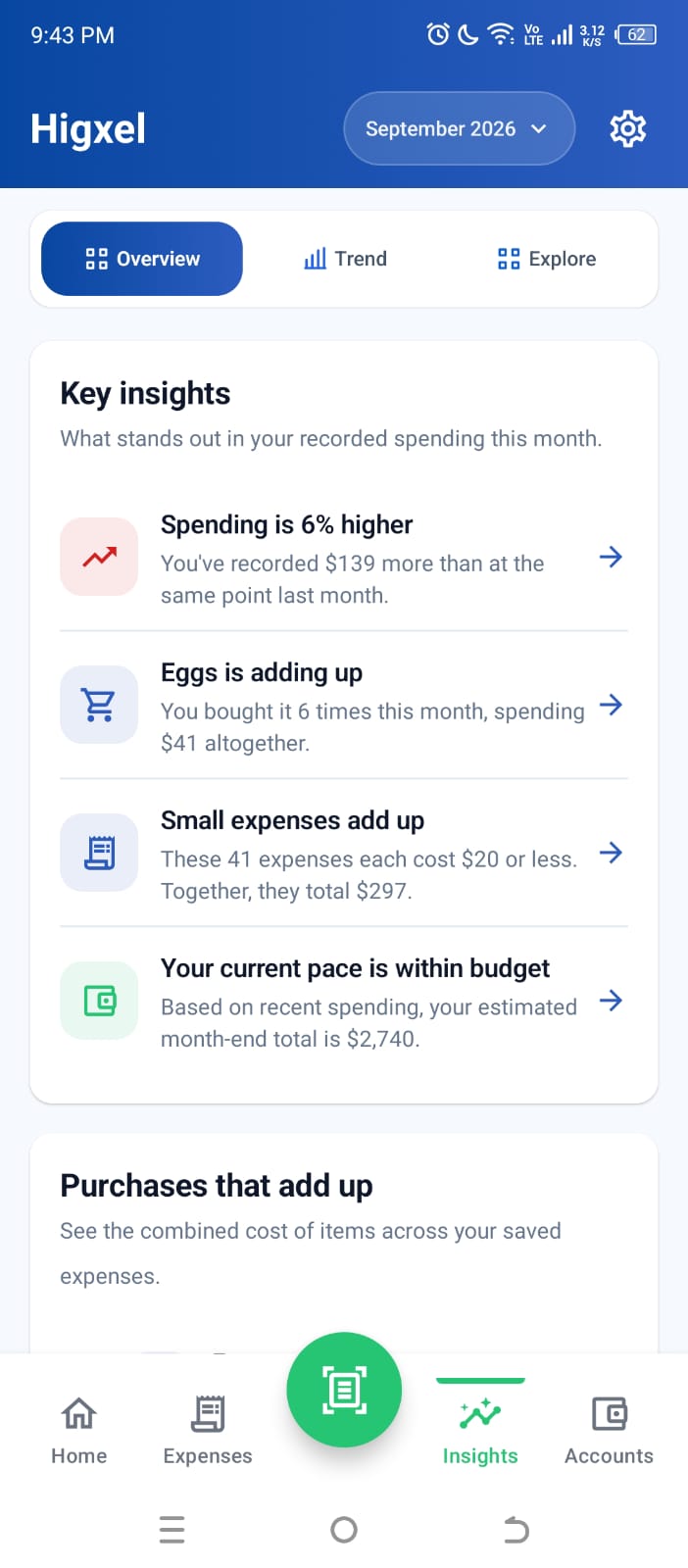
Insights with context
Higxel brings monthly trends, budget pace, and spending patterns together. When enough matching purchases are recorded, it can show what those repeated items cost in total.
Insights depend on the expenses you record. Some patterns need more history or time to finish organizing.
Personal loans
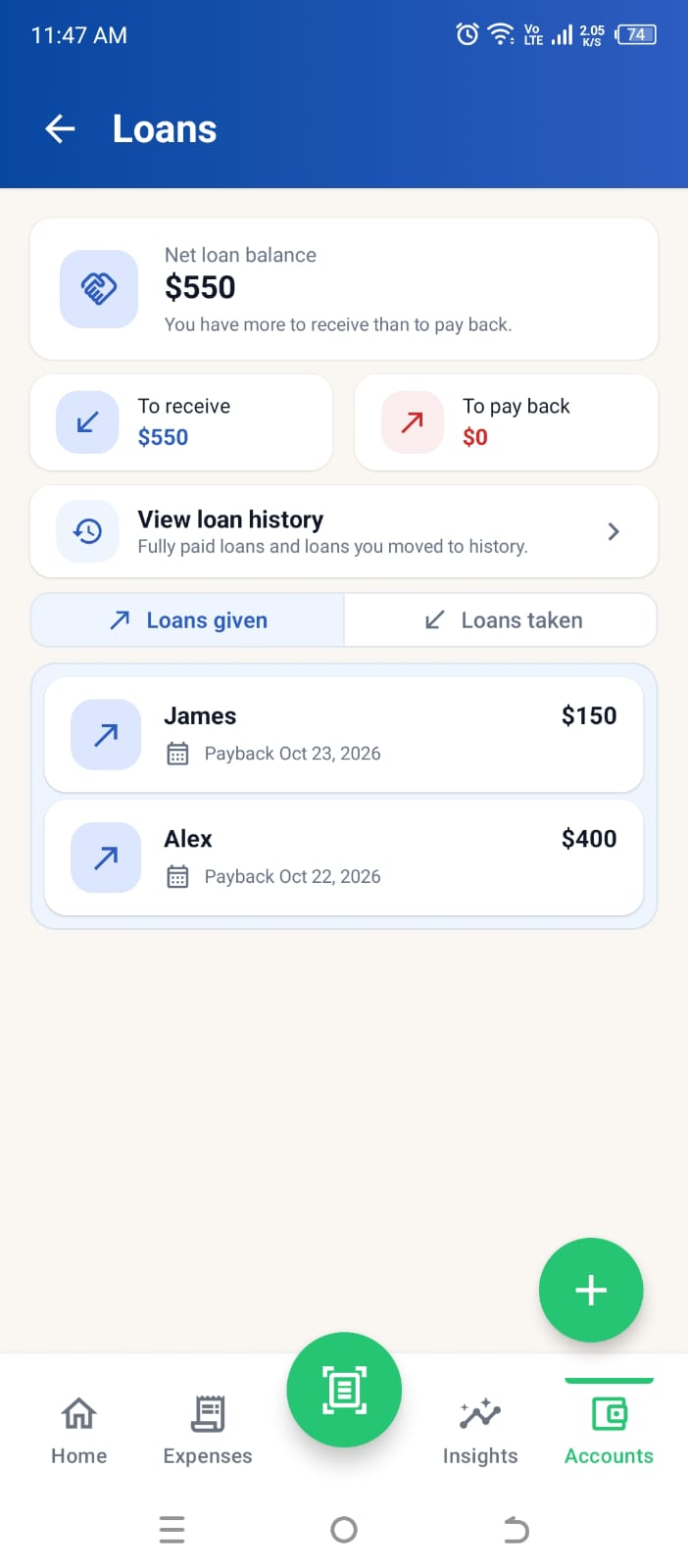
A personal loan is different from an everyday expense. In Accounts, Higxel keeps each loan, repayment, and remaining balance together.
Screen shown with sample data. Higxel records loans; it does not send or collect money.
How it works
Photograph a receipt, choose a receipt image, or enter an expense manually.
Check details and item categories. Save the receipt together, or choose Group expense when you want separate expenses.
Search history and explore monthly insights.
Already have financial records? Read about the upcoming guided data import and what it supports.
Add an expense without scanning a receipt.
Set up fixed monthly costs to be recorded automatically when due.
Follow balances, debt, net worth, and income sources by month.
Save your expense history as an Excel file for your own records.
Resources
Choose step-by-step product guides or read broader, practical ideas about building a spending routine that lasts.
A practical routine for recording purchases, choosing categories, and reviewing the month.
Read the guideThe problem is often friction, not discipline. See how to make the routine easier to keep.
Read the insight Private by design.
Privacy & trust
Start with a device-linked guest profile or sign in with Google. Guest records stay separate, while Google sign-in adds cross-device access and Expense Suggestions. Receipt results stay editable, notification features are optional, and you choose when and where to export your records. Smart item names can organize purchases after saving; you can turn them off or separately choose whether to catch up older records.
Track daily expenses, categories, budgets, accounts, credit cards, personal loans, income, transfers, recurring expenses, and monthly spending insights. Receipt scanning is one optional way to add an expense faster.
Photograph a receipt or choose an image from your phone. Higxel prepares editable details such as the store name, date, total, items, and suggested item categories. You check the result before saving. It does not group new receipt items automatically.
Yes. Review the result before saving and correct titles, dates, amounts, categories, or groups whenever needed.
A receipt saves as one expense under the store name by default. Each item can have its own category, so spending reports still show what you bought. Choose Group expense to save selected items as a separate named expense with a group category. Any items you leave ungrouped stay together under the store name.
Higxel keeps reviewed corrections to support quality checks and future improvements. Saving a correction does not guarantee a change on the next receipt or mean learning is active. Every result stays editable, and new receipt items are not grouped automatically.
Yes. Google sign-in is required, and Smart Expense Suggestions are off by default. To use them, enable the feature, choose Email, SMS, or both, and allow the Android notification access the feature needs. Suggestions remain editable before you save them.
Track cash, bank accounts, digital wallets, investments, credit cards, and personal loans, along with one-time or recurring income. Higxel uses those records to show balances, assets, debt, available credit, income totals, and net worth. Loan records have their own view for repayments, reminders, and history.
No. Record money lent or borrowed in Accounts → Loans. Higxel tracks what is still to receive or pay back and includes active loans in assets or debt unless you choose to exclude a loan from net worth. It does not send money or collect repayments.
No. A transfer updates the two account records inside Higxel without counting the amount as new income or spending. You still make the real transfer through your bank, wallet, or card provider.
The next Android release adds guided import for supported CSV, XLSX, and JSON exports. You choose a data set, check suggested column matches, and review counts and warnings before confirming. This imports records, not a complete app backup. See supported data and limitations.
Higxel does not upload the full file. It parses the file on your device, then securely sends only the first five non-empty parsed rows to Higxel and OpenAI to identify the header and suggest column matches. When needed, unmatched unique category names are also compared with your existing category names to avoid duplicates. You still check the matches before importing, and confirmed records use Higxel’s normal local storage and cloud sync.
Open History to search, inspect, edit, and manage expenses you have already saved.
Available now on Google Play for Android.