
Daily expenses
Add expenses manually or create them from reviewed receipts, then search and edit them in History.
Android expense tracking
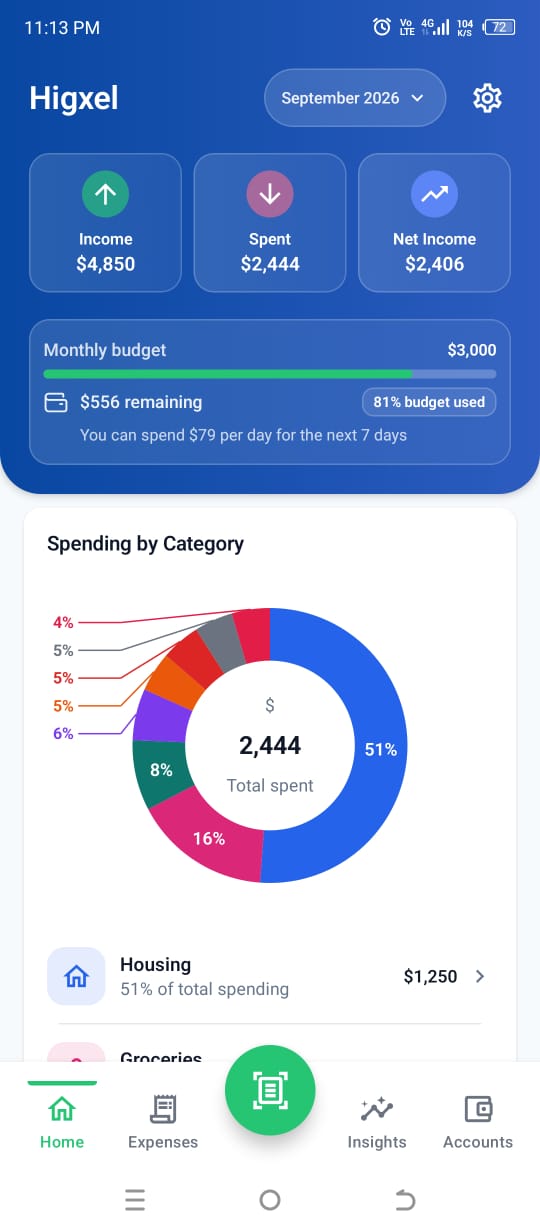
Track daily spending, set a monthly budget, and see what is left. Add a quick expense yourself or scan a receipt when there is more to record.
Everything connected
Keep expenses, categories, payment accounts, budgets, and monthly totals together without rebuilding them in a spreadsheet.
Add expenses manually or create them from reviewed receipts, then search and edit them in History.
Organize spending by category and compare what you have spent with the monthly budget you set.
Track cash, banks, wallets, investments, credit cards, loans, income sources, balances, debt, and net worth.
Expense history
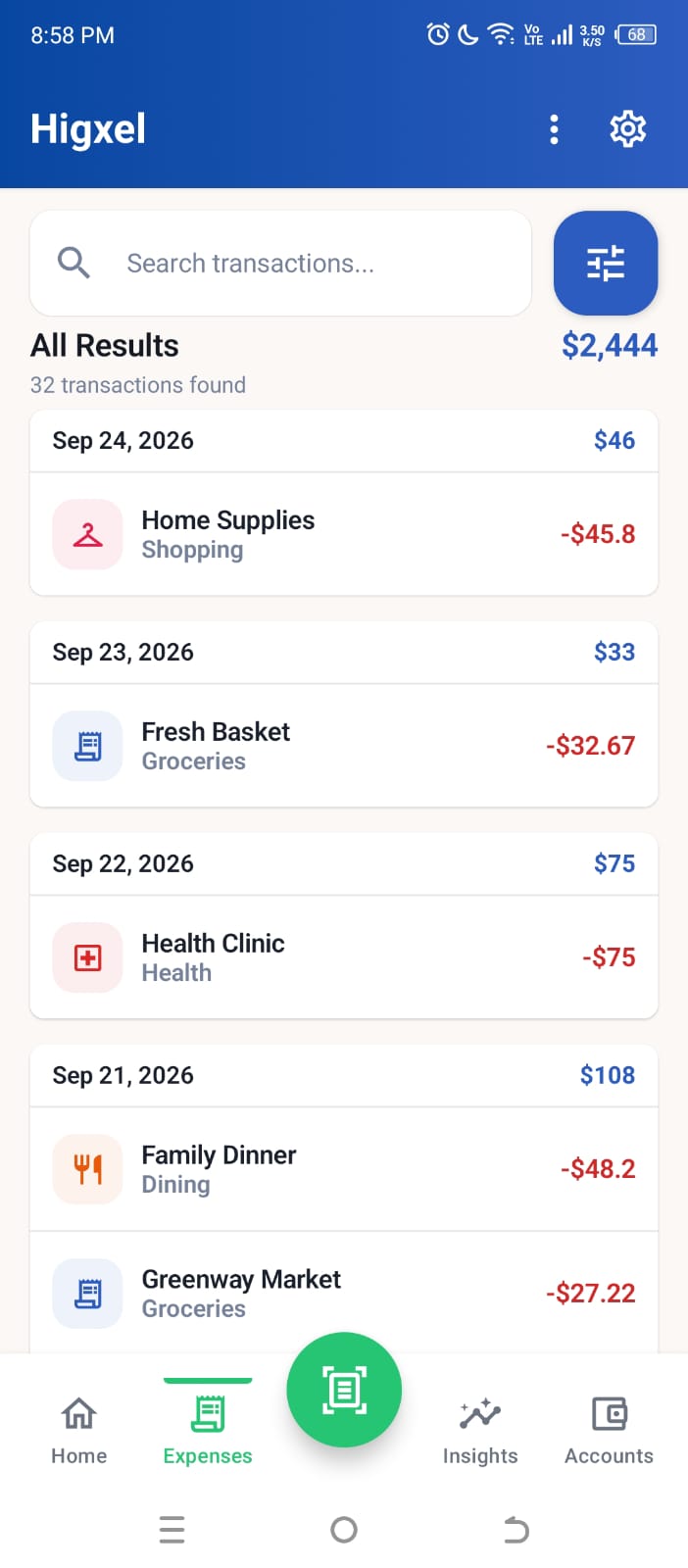
Search your saved expenses, open the details, and make a correction later instead of creating a duplicate.
Monthly insights
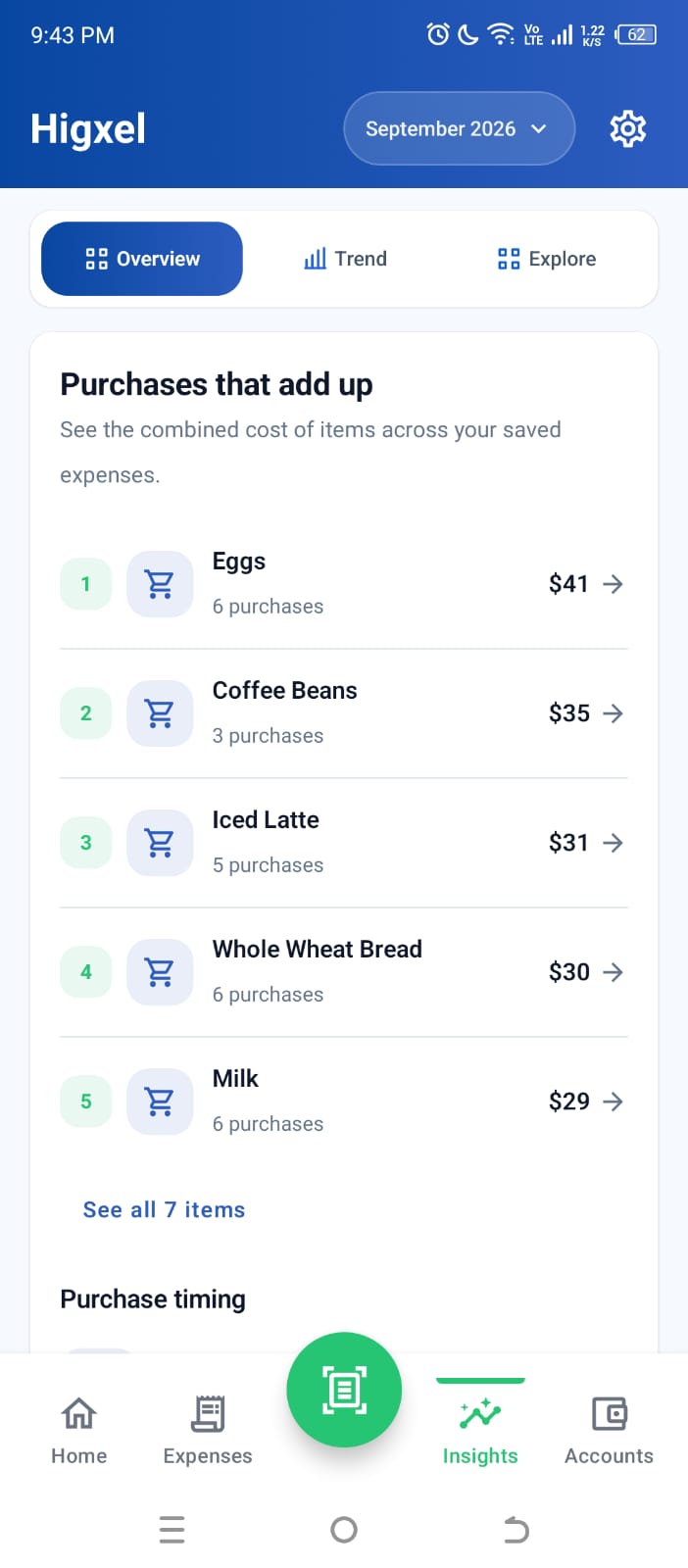
Insights can combine repeated purchases across your saved expenses, showing their total cost and how often you bought them. The example beside this text shows eggs, coffee, bread, and milk from sample data.
Open an item to see the expenses behind it. These patterns depend on what you record and may take time to appear for a new account. Edit or delete an expense and its contribution changes too.
Accounts
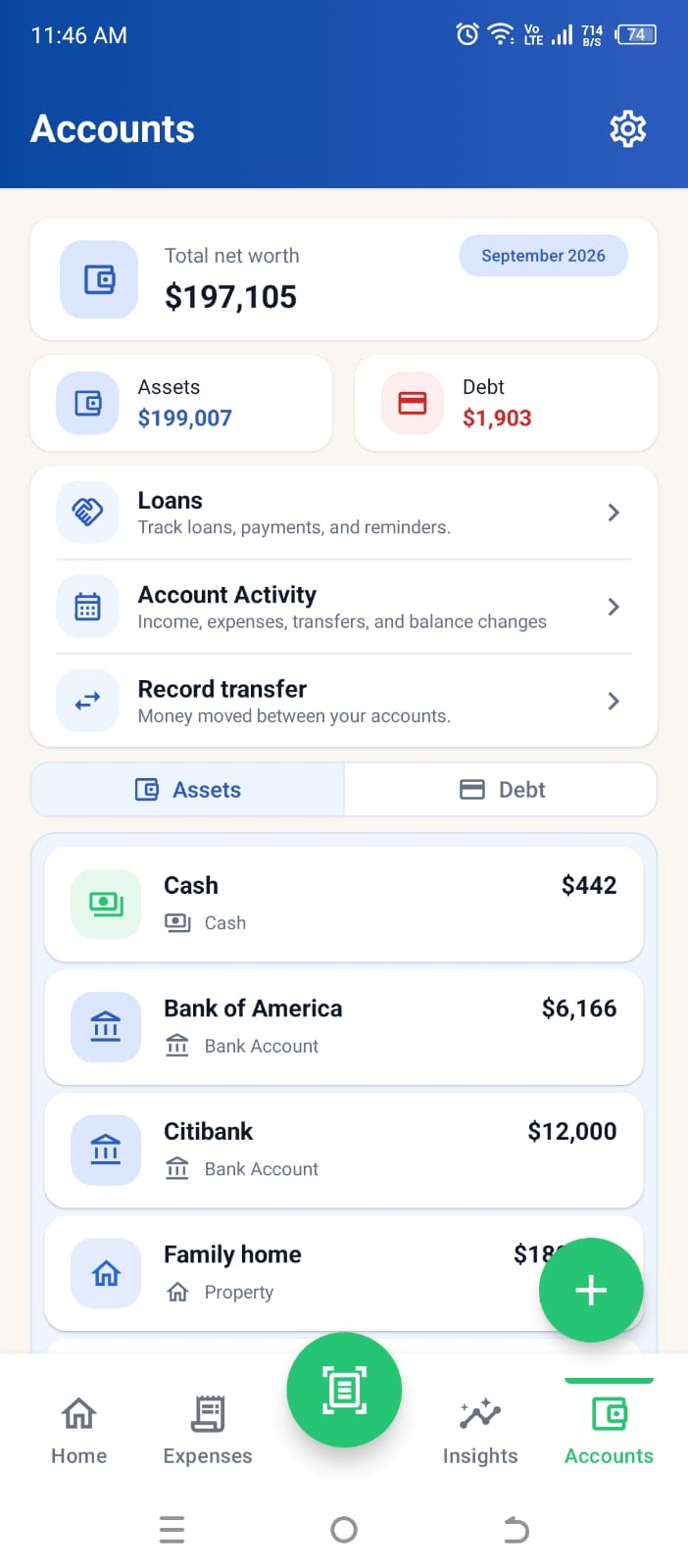
The Accounts view brings your recorded assets, debt, net worth, and individual balances together. Loans now have their own entry alongside account activity and transfers.
Income has its own monthly view. Higxel tracks the records you enter; it does not connect to your bank or move money.
More ways to stay on top of spending
These options build on the same expense history. They do not require a bank connection.
For fixed monthly costs such as rent or internet, enter the title, amount, category, payment account, and day of the month once. Higxel records the expense when it becomes due and updates the selected account. If that day has already passed, the schedule starts next month.
Edit the schedule when a bill changes. You can review or edit each recorded expense in History; removing the schedule stops future entries but keeps expenses already recorded.
After Google sign-in, you can enable notification access for supported payment alerts. Higxel proposes a possible expense; in the standard flow, you check and edit it before saving. This is not a bank feed.
Guest records stay separate from signed-in records. Google sign-in adds cross-device access; supported history and account activity can be exported to Excel. Choose a tracking currency in Settings—amounts are not converted.
How it works
Enter an expense manually, scan a receipt, or import a receipt image.
Check the details, item categories, and payment account before saving. Receipt grouping is optional.
Use History, budgets, accounts, and insights to understand the month.
Expense tracker FAQ
Higxel is available on Google Play for Android.
Track saved expenses, categories, monthly budgets, accounts, credit cards, income, transfers, and spending insights.
Yes. Saved expenses remain available in History so you can review and edit their details.
Set a fixed monthly expense with its amount, category, payment account, and due day. Higxel records it automatically when due. A date that has already passed starts next month. You can change or remove the schedule without deleting expenses already saved in History.
No. You can scan a receipt, import an image, or add an expense manually.
No. A receipt saves together under the store name, while its item categories feed spending reports. If you create a separate group, that group uses the category you choose. You can add manual expenses without a store name; check their item titles, amounts, categories, and payment account before saving.
Guided data import is coming in the next Android release. It reads supported CSV, XLSX, and JSON exports on your device, uses a limited five-row sample to suggest the header and column matches, reuses equivalent saved categories when possible, and asks you to confirm before saving. Formats vary; receipt images and transfer records are not included. Read the import guide.
Yes. Continue as a guest to try expense tracking and a limited receipt-scan allowance without Google sign-in. Guest records stay separate from Google account records. Sign in with Google for Expense Suggestions, a larger receipt-scan allowance, and access across devices.
Yes. Choose your tracking currency in Settings, including Indian rupees (INR), US dollars (USD), Pakistani rupees (PKR), and other supported currencies. Choosing a currency does not convert amounts between currencies.
Guests and Google-signed-in users have different receipt-scan allowances. In Settings, open Help & About → Receipt scan allowance to see your allowance, usage, and reset date. Manual expense entry does not use a receipt scan.
No. Adding a bank or card account lets you keep track of its balance and related transactions in Higxel. It does not automatically connect to your bank or import its transactions.
Yes. Open History, choose Export to Excel, and save your expense history as an Excel file at the location you choose.